
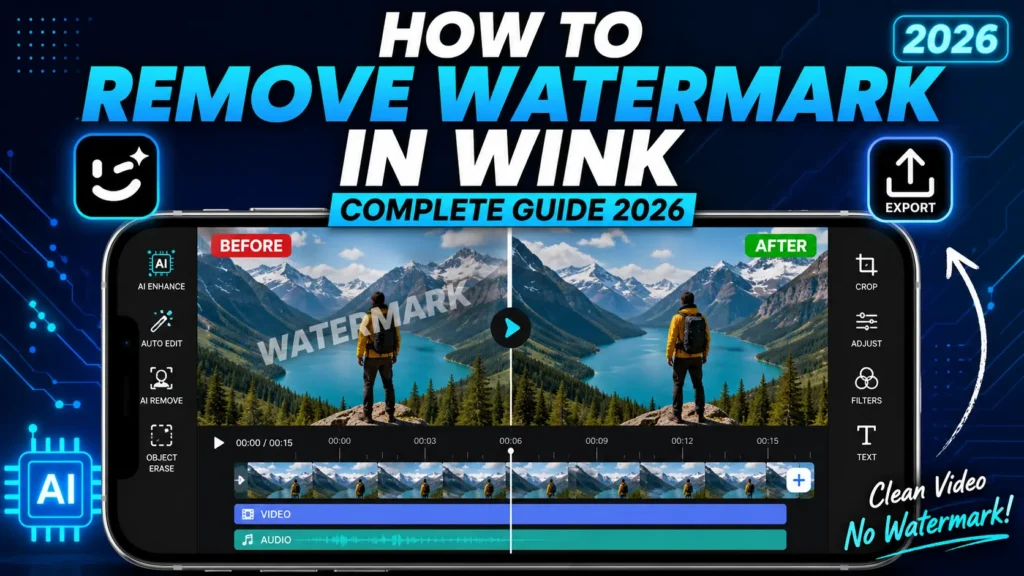
How to Remove Watermark in Wink — Complete Guide 2026
If you have ever spent time perfecting a video edit in Wink and then discovered a branded logo stamped across your export, you already know how frustrating that is. The good news is that there are real, working ways to remove watermark in Wink — and this guide walks you through all of them clearly and in order.
Whether you are creating content for TikTok, Instagram Reels, or YouTube Shorts, a watermark on your final video looks unprofessional and draws attention away from your work. By the end of this guide, you will know exactly which method suits your situation and how to apply it step by step.
Why Does Wink Add a Watermark in the First Place?
Before jumping into the solutions, it helps to understand why the watermark appears at all. Wink is developed by Meitu Inc., a Chinese technology company with over a decade of experience in AI-powered imaging. The app itself is free to download on Android and iOS, but Meitu uses a freemium model to generate revenue.
In practical terms, this means basic editing is available to everyone, but premium capabilities — including watermark-free video exports — are gated behind a VIP subscription. When you export a video on the free tier, Wink automatically adds its logo to the bottom of your footage. This happens regardless of which features you used during the edit.
There are three common scenarios where this shows up:
- You are using the official app without an active VIP plan
- Your subscription expired before you completed the export
- You applied a VIP-only effect, which triggers the watermark even on partial free accounts
Understanding which scenario applies to you makes choosing the right fix much easier.
Method 1: Remove Watermark in Wink by Activating VIP
The most direct route within the official app is to upgrade to a Wink VIP subscription. Once your account is active, all exports become completely clean — no logo, no branding, no limitations on resolution.
Inside the app, navigate to Profile → VIP Plans and select the subscription that fits your budget. Meitu currently offers both monthly and annual billing, with the annual plan working out significantly cheaper per month.
Who This Method Works Best For
This approach makes sense if you want to stay within the official Play Store ecosystem, receive regular app updates automatically, and have access to Meitu’s customer support. It is also the right choice if you are on iOS, since the alternatives below are Android-only.
The downside is straightforward — it costs money. For creators who publish content daily, the investment is easy to justify. For casual editors who post occasionally, paying monthly just to avoid a watermark may not feel worthwhile.
Method 2: Use Wink Mod APK to Permanently Remove the Watermark
For Android users who want to remove watermark in Wink without paying a subscription fee, Wink Mod APK is the most popular and most complete solution available in 2026.
Wink Mod APK is a modified build of the original Wink application that bypasses the VIP paywall entirely. Every feature — including watermark-free exports — is unlocked from the moment you install it, with no account login, no subscription prompt, and no logo on any video you export.
What You Get With Wink Mod APK
| Feature | Official Free App | Wink Mod APK |
|---|---|---|
| Watermark-Free Export | ✗ | ✓ |
| AI 4K Upscaling at 60 FPS | ✗ | ✓ |
| VIP Filters and LUTs | ✗ | ✓ |
| AI Subtitle Generation | ✗ | ✓ |
| Portrait Retouching Tools | Limited | Full Access |
| Ad-Free Interface | ✗ | ✓ |
| Green Screen Replacement | ✗ | ✓ |
How to Remove Watermark in Wink Using Wink Mod APK — Step by Step
Step 1 — Uninstall the Official Wink App
If the original Wink app is already on your device, remove it first. Go to Settings → Apps, find Wink, and tap Uninstall. Installing over an existing version causes errors and often results in the mod not activating correctly.
Step 2 — Enable Installation from Unknown Sources
Since Wink Mod APK is not distributed through the Google Play Store, your Android device needs permission to install third-party files.
- On Android 8.0 and above: Go to Settings → Apps → find your browser or file manager → tap Install Unknown Apps → toggle it On
- On Android 7.0 and below: Go to Settings → Security → Unknown Sources → toggle it On
You can turn this setting back off once the installation is complete.
Step 3 — Download and Install the APK
Download the latest Wink Mod APK file from a trusted source. Once the download is complete, open your file manager, navigate to the Downloads folder, and tap the APK file to begin installation. The process takes roughly 15 to 30 seconds.
Step 4 — Open the App and Test the Export
Launch the app, import any video, and go straight to the export screen. You will immediately notice there is no watermark warning, no subscription prompt, and no VIP lock on any feature. Export the video and confirm the output is completely clean.
Method 3: Crop Out the Watermark Using a Second App
If you are on the official free app and cannot install a mod APK, one fallback option is to crop the watermark out of the exported footage using a separate editing app.
Tools like CapCut, VN Video Editor, or even your phone’s built-in gallery editor allow you to trim the video frame. If the Wink logo appears in a corner that does not contain important content, cropping that edge removes the branding from the final output.
The Important Limitations Here
Cropping changes your video’s aspect ratio. For platforms like TikTok and Instagram that have strict dimension requirements — 9:16 for vertical content, 1:1 for square — cropping even a small amount can break the correct framing and cause black bars to appear when you upload.
This method works in limited situations. It is not a reliable long-term fix for regular content creators.
Method 4: Disable the Watermark Through Wink’s Export Settings
This is a feature many users overlook. The official Wink app includes a watermark toggle in the export panel that is accessible to VIP subscribers. Before you tap the download button, Wink shows export settings where you can turn off the default logo or replace it with your own custom branding — useful for creators who want their handle instead of Meitu’s logo on their content.
If you have an active VIP plan, always check the export settings panel before saving your video. The watermark toggle is there by default and simply needs to be switched off.
Which Method Should You Choose?
Here is a simple breakdown to help you decide quickly:
| Your Situation | Best Method |
|---|---|
| Android user, wants free solution | Wink Mod APK |
| iOS user | VIP Subscription |
| Occasional editor, no subscription | Crop Method (limited) |
| Active VIP subscriber | Export Settings Toggle |
For the vast majority of Android users, Wink Mod APK delivers the cleanest result with zero ongoing cost. It does not just remove the watermark — it unlocks the full VIP editing suite that makes the extra effort worthwhile.
Frequently Asked Questions About Removing Watermark in Wink
Does the Wink free tier always add a watermark?
Yes. Every video exported from the official free version of Wink includes the Meitu logo. There is no way to disable this without either upgrading to VIP or using Wink Mod APK on Android.
Does Wink Mod APK work on iOS?
No. iOS does not support APK files. The modded version is Android-only. iPhone and iPad users must use an active VIP subscription to remove the watermark through the official app.
Will my exports look different after removing the watermark?
No. The underlying video quality is identical. Removing the watermark only strips the overlay logo — it does not affect resolution, color accuracy, or any AI enhancement applied during editing.
Is the Wink Mod APK safe to install?
When downloaded from a verified source, Wink Mod APK is widely used by many Android editors. Because it is a third-party modification, it is not backed by Meitu’s official support and does not update automatically through the Play Store.
What Android version does Wink Mod APK require?
Wink Mod APK is compatible with Android 6.0 and above. For the best performance, especially when using AI 4K export at 60 FPS, Android 10 or higher with at least 4 GB of RAM is recommended.
Final Thoughts
The Wink watermark is a deliberate feature of the free tier, not a permanent limitation. Once you know your options, getting rid of it is completely achievable — whether through an official subscription or through Wink Mod APK on Android.
If you are a regular content creator who edits on Android, Wink Mod APK gives you the full VIP experience — watermark-free exports, AI 4K upscaling, portrait retouching, premium filters, and an ad-free interface — without paying anything. Every video you export comes out clean, polished, and ready to publish exactly the way you intended it.